
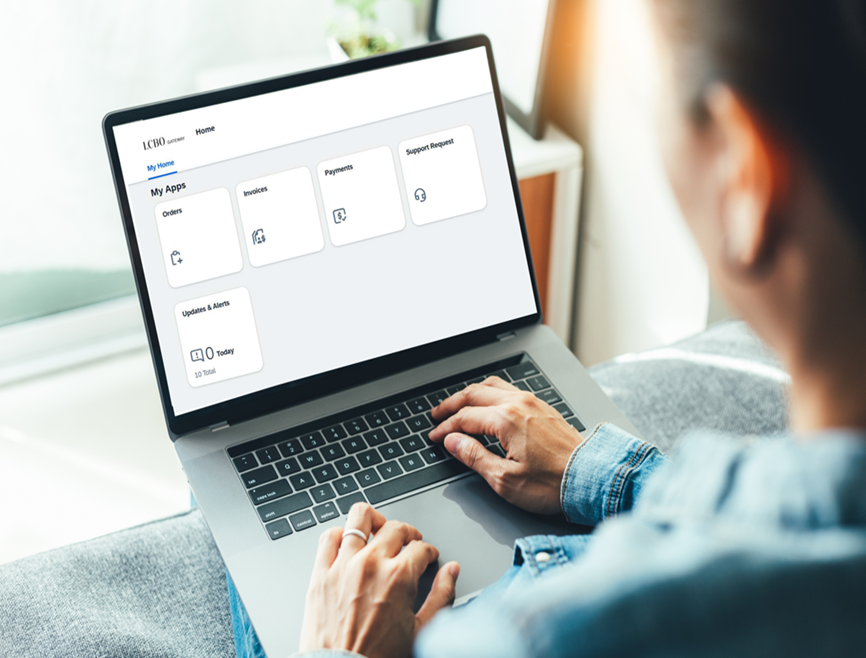
LCBO Gateway is a secure, centralized portal that provides registered suppliers and agents with access to purchase orders (as applicable), invoices.
Need access to LCBO Gateway?
Requesting access to LCBO Gateway depends on whether you are a new or existing supplier to LCBO. In all cases, once access is granted you will need to complete the setup of multi-factor authentication (MFA) to complete account setup and log into the platform.
Please note that access requests may experience processing delays due to a high volume of requests to grant or modify user access. We appreciate your patience and understanding.
New suppliers to LCBO:
All new suppliers must complete a Vendor Onboarding Form, which includes a section to request access to LCBO Gateway for up to 6 users. Submit the completed form as follows:
• Direct suppliers (beverage alcohol supplier): Email your Merchandising representative
• Indirect suppliers (other goods and services): Email purchasing.dept@lcbo.com
Existing suppliers to LCBO:
Existing suppliers who don’t have access to Gateway (or wish to modify the access they have) must complete an Access Request Form and email it to LCBOgateway@lcbo.com.
LCBO Gateway support
SmartAssist is an AI-powered chatbot providing registered Gateway users with fast, consistent answers and/or step-by-step guidance for common questions and processes (learn more). Log into LCBO Gateway SmartAssist
For access-related support: Email LCBOgateway@lcbo.com
For all other Gateway support: Submit a Support Request in LCBO Gateway
Training and resources
Training and support resources are available to help you use LCBO Gateway.
• Frequently Asked Questions (FAQs)
• Resource Guide: Bulk line-level downloads and bulk confirmations
• Multi-Factor Authentication (MFA) Reference Guide
• Training webinar recording for beverage alcohol suppliers
• Demo for beverage alcohol suppliers